
01
Open the saved scene
Save the camera as a scene. Use Shaded, Monochrome or simple textures, then hide guides, dimensions and section overlays that obscure the design.

SketchUp workflow
Export a clear PNG or JPEG from SketchUp and upload it to Renderz. Describe the materials, daylight and atmosphere you want to explore. Compare the generated image with your model view before adding it to the client presentation.
One view. A material direction.
Start with a readable view, then describe the finishes you want to explore. A focused brief makes it easier to compare the image with the design you exported.
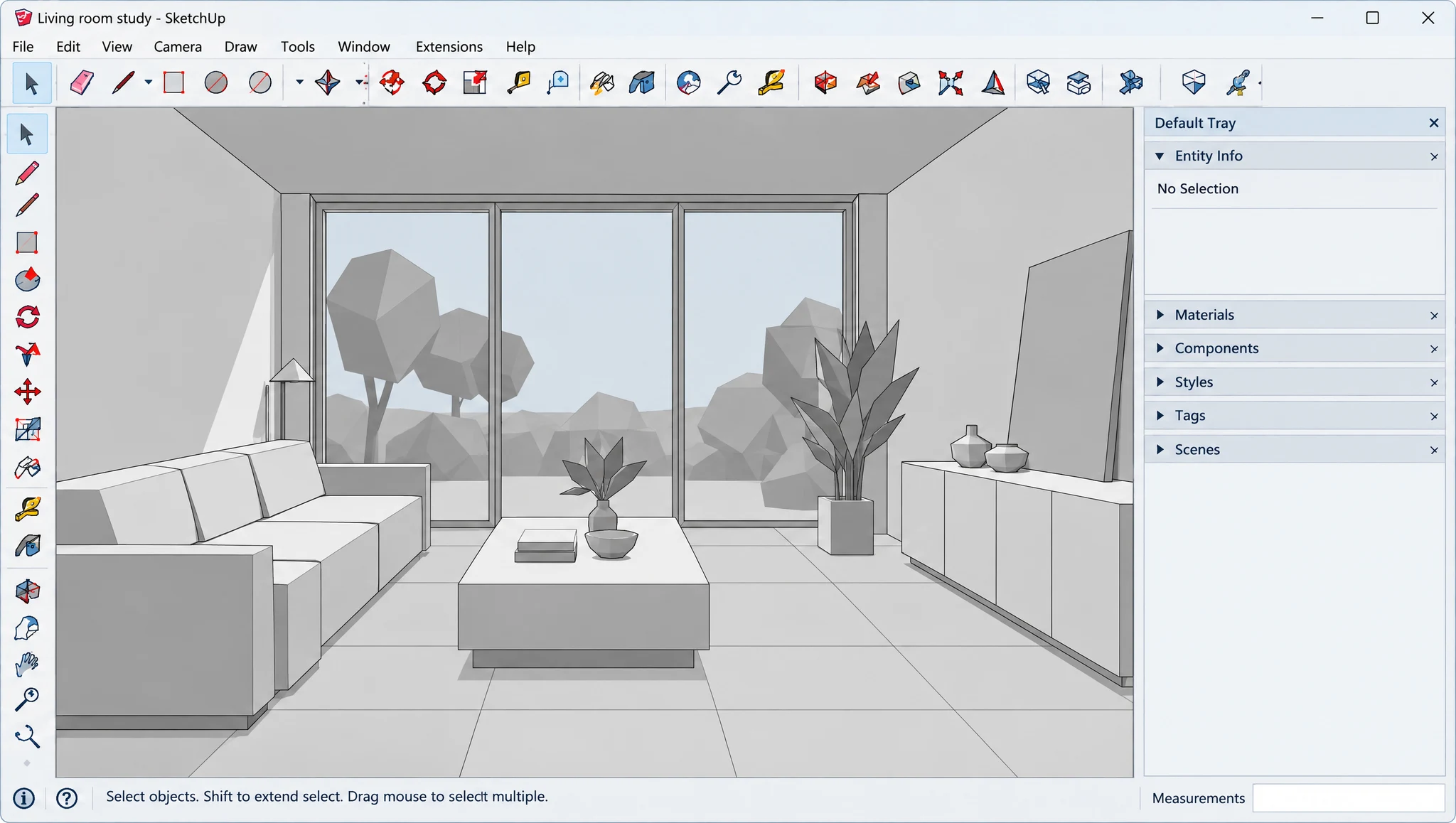
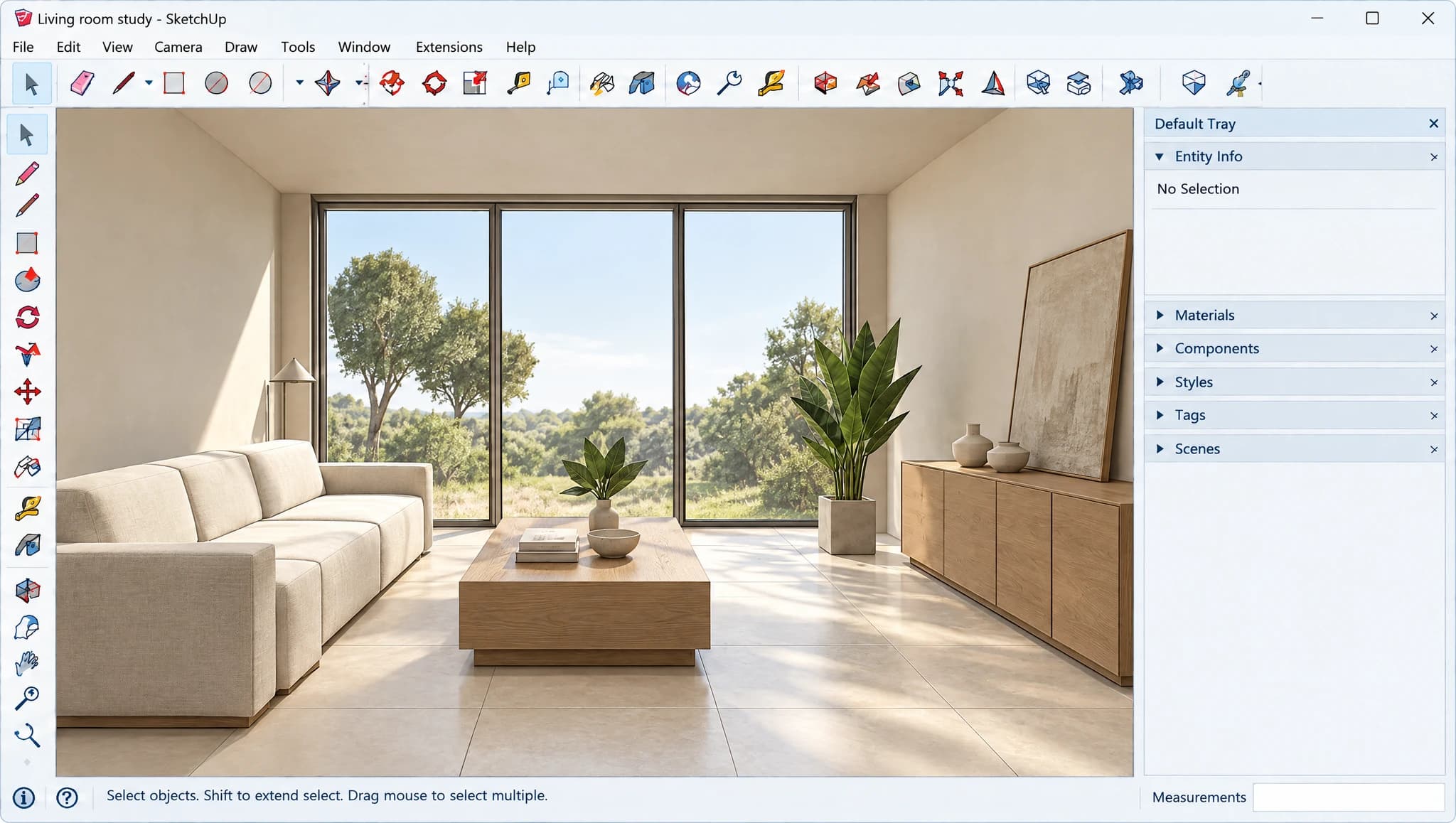
Drag to compare. Use the arrow keys when the slider is focused.
Compare the number and width of the window panels with your saved scene. Check the sill and ceiling line too.
Check the sofa, table and storage positions. Use product references for the palette, then confirm sizes against your specifications.
Compare glazing, furniture positions and proportions. Use your model and supplier specifications to validate dimensions.
A brief to adapt
Use my exported room view as the reference. Explore natural oak cabinetry, pale limestone flooring and soft afternoon light. Keep the garden glazing, sofa position and camera angle. Do not add openings or change the room layout.
Suggested instructions for your own source image. Results vary with the source and generation settings.
30 trial credits. No credit card required.
Three steps, using the camera view already saved in your model.
Save the camera as a scene. Use Shaded, Monochrome or simple textures, then hide guides, dimensions and section overlays that obscure the design.
Export the view as a PNG or JPEG with walls and openings clearly visible. Upload that image to Renderz; native SKP files are not imported.
Specify materials, furniture and light. Keep a list of fixed elements, change one variable per option, then compare openings, roofline and camera with the source.
Keep the composition selected in SketchUp and explore several visual moods from the same angle.
Test the project story while the model still contains simple materials and proxy objects.
Create finish or daylight alternatives quickly enough to support an active design conversation.
Visualize furniture, finishes, and daylight from a basic room model.
Add façade material, planting, surrounding context, and weather to a massing view.
Show clients several palettes while maintaining the same saved scene.
Start with a saved model view and keep it beside every generated option. Use these guides to prepare the export, write a focused prompt and decide when a model-based renderer is a better fit.
More software workflows
SketchUp is a trademark of Trimble Inc. Renderz is independent and is not affiliated with or endorsed by Trimble Inc.
Export a saved view and explore a photoreal presentation direction without a complex render setup.