
01
Prepare the Winner view
Open the perspective that best shows the cabinetry, worktops, island, appliances, and room proportions.

Winner kitchen workflow
Keep planning, catalog products, and quotations in Winner Flex, then use Renderz for an additional layer of visual exploration. Export the kitchen perspective as a PNG or JPEG and test richer materials, natural light, styling, and atmosphere without changing the source project.
A closer look
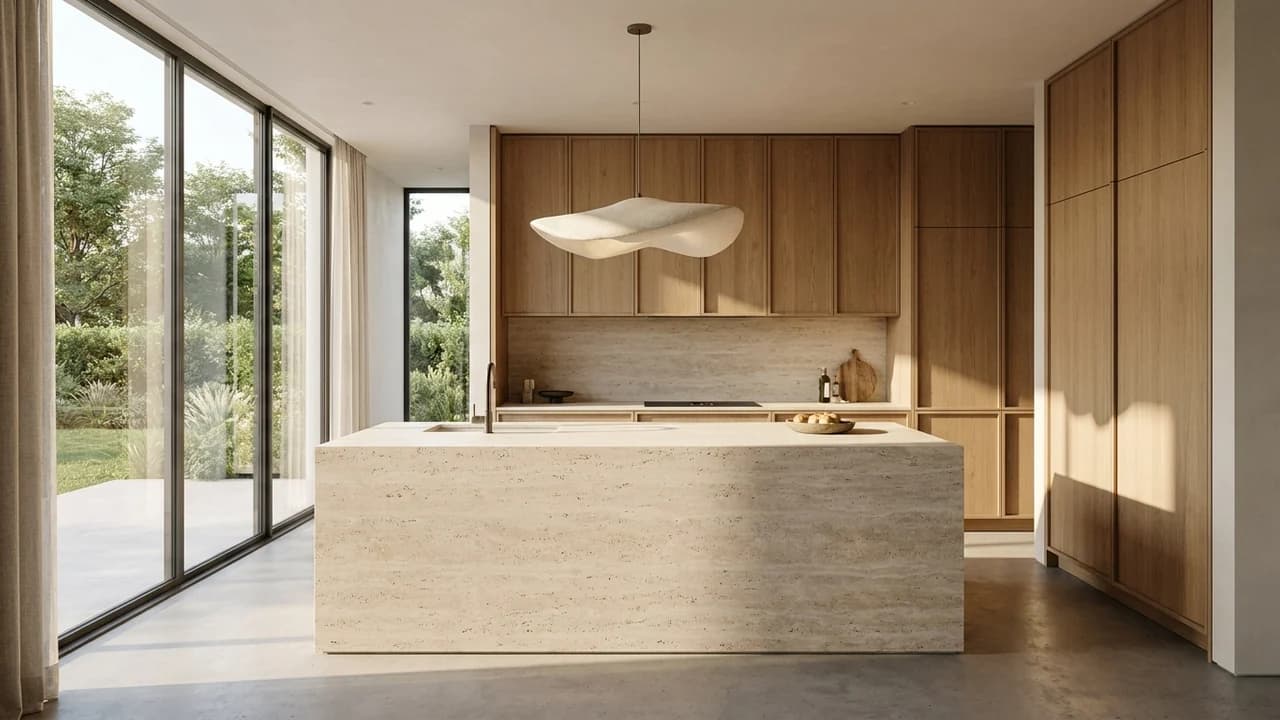
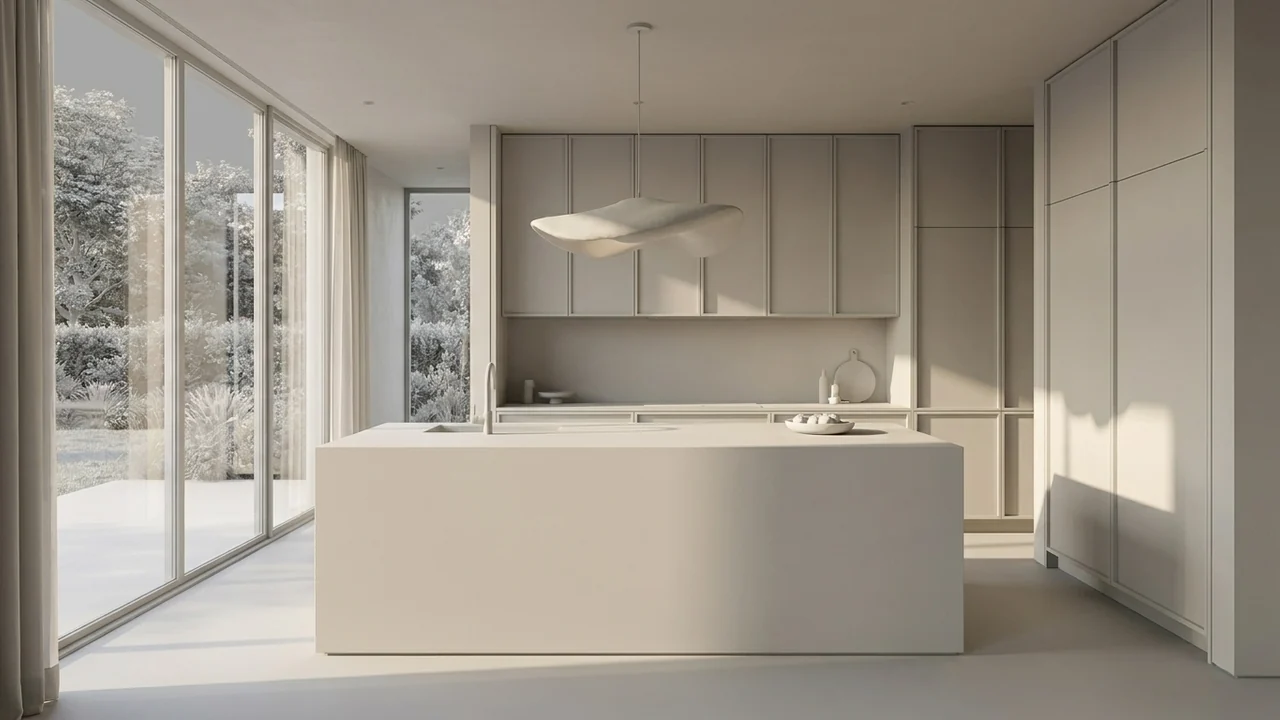
Keep the island footprint, cabinet layout and windows. Explore natural oak fronts and a pale limestone-look island, with a restrained backsplash and warm daylight.
Illustrative study. Use an image exported from your design software to try a similar workflow.
Use the perspective already prepared for your kitchen customer.
Open the perspective that best shows the cabinetry, worktops, island, appliances, and room proportions.
In Winner, export the Perspective as a high-resolution PNG or JPEG without overlays you do not want in the final image.
Describe the desired materials, daylight, styling, accessories, and mood, then generate client-ready alternatives.
Use the exported Winner perspective as the visual anchor while improving atmosphere and finish presentation.
Explore cabinet fronts, worktops, splashbacks, flooring, and lighting from the same viewpoint.
Turn a technical sales visual into a warmer lifestyle image that helps customers imagine the finished kitchen.
Generate a more atmospheric option while discussing the kitchen direction with a customer.
Present several coherent finish directions while retaining the same kitchen layout and camera.
Send a polished visual that supports the accurate plans, product data, and quotation managed in Winner.
More software workflows
Winner Flex is a product of Cyncly. Renderz is independent and is not affiliated with or endorsed by Cyncly.
Export the perspective you already use and explore a richer client-facing visual with Renderz.