
01
Select an iteration
Set your Grasshopper parameters and preview the chosen geometry clearly in the Rhino viewport.

Grasshopper workflow
Parametric models change fast. Renderz lets you visualize a selected Grasshopper iteration without slowing that loop down: preview the generated geometry in Rhino, capture the view, then test materials, daylight, scale, and site atmosphere with a prompt.
A closer look
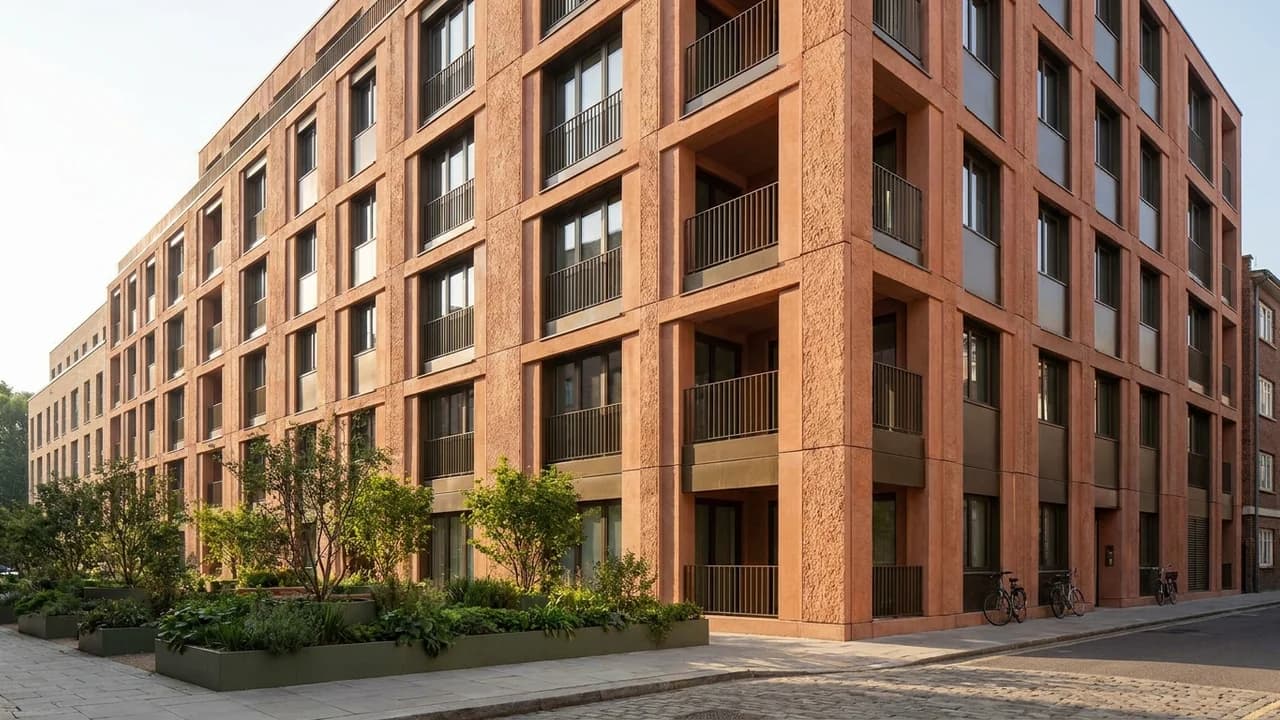
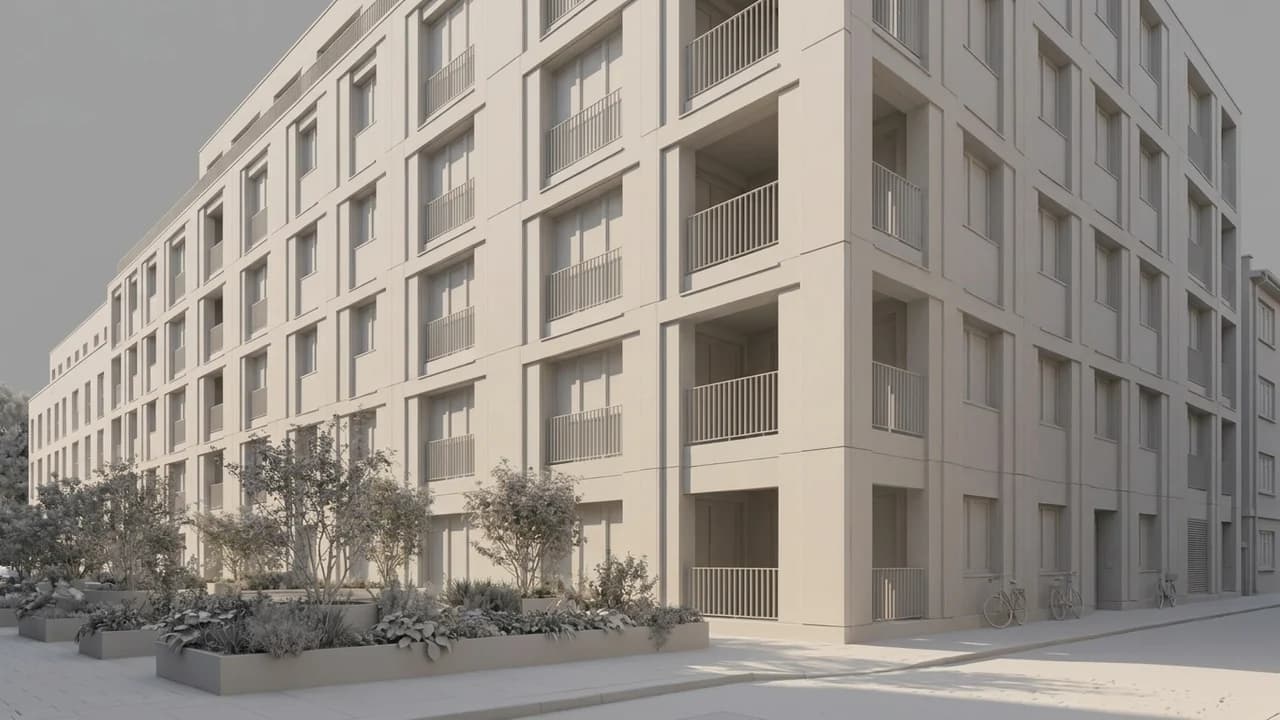
Use the uploaded facade view as the reference. Explore warm brick, recessed balconies, dark window frames and planted ground-floor edges. Keep the floor count and opening rhythm.
Illustrative study. Use an image exported from your design software to try a similar workflow.
Keep the definition live and render only the iteration worth reviewing.
Set your Grasshopper parameters and preview the chosen geometry clearly in the Rhino viewport.
Use a clean viewport image that shows the pattern, structure, or envelope at a useful scale.
Describe fabrication materials, surroundings, time of day, and camera mood to generate a visual study.
Compare the visual impact of selected parameter states without preparing every option in a traditional renderer.
Give façades, lattices, and repeated systems material cues that make density and depth easier to evaluate.
Test how a procedural form sits in daylight, landscape, and human scale while the definition is still flexible.
Review perforation, shading, repetition, and overall façade rhythm in a realistic scene.
Communicate gridshells, frames, and generative systems to collaborators beyond the parametric model.
Give shortlisted iterations a consistent visual language for client comparison.
More software workflows
Grasshopper and Rhino are trademarks of Robert McNeel & Associates. Renderz is independent and is not affiliated with or endorsed by Robert McNeel & Associates.
Capture the generated form and explore materials, context, and light without interrupting the parametric workflow.