

Creation mode
Bring a still render to life with motion
A moving shot holds attention in a way a flat image can't. Motion Mode turns a finished render into a short cinematic clip, a slow push-in, a pan across the space, ready for client presentations, listing pages, and social. No After Effects, no motion designer, no overnight export.
A closer look
A lounge chair presented in motion
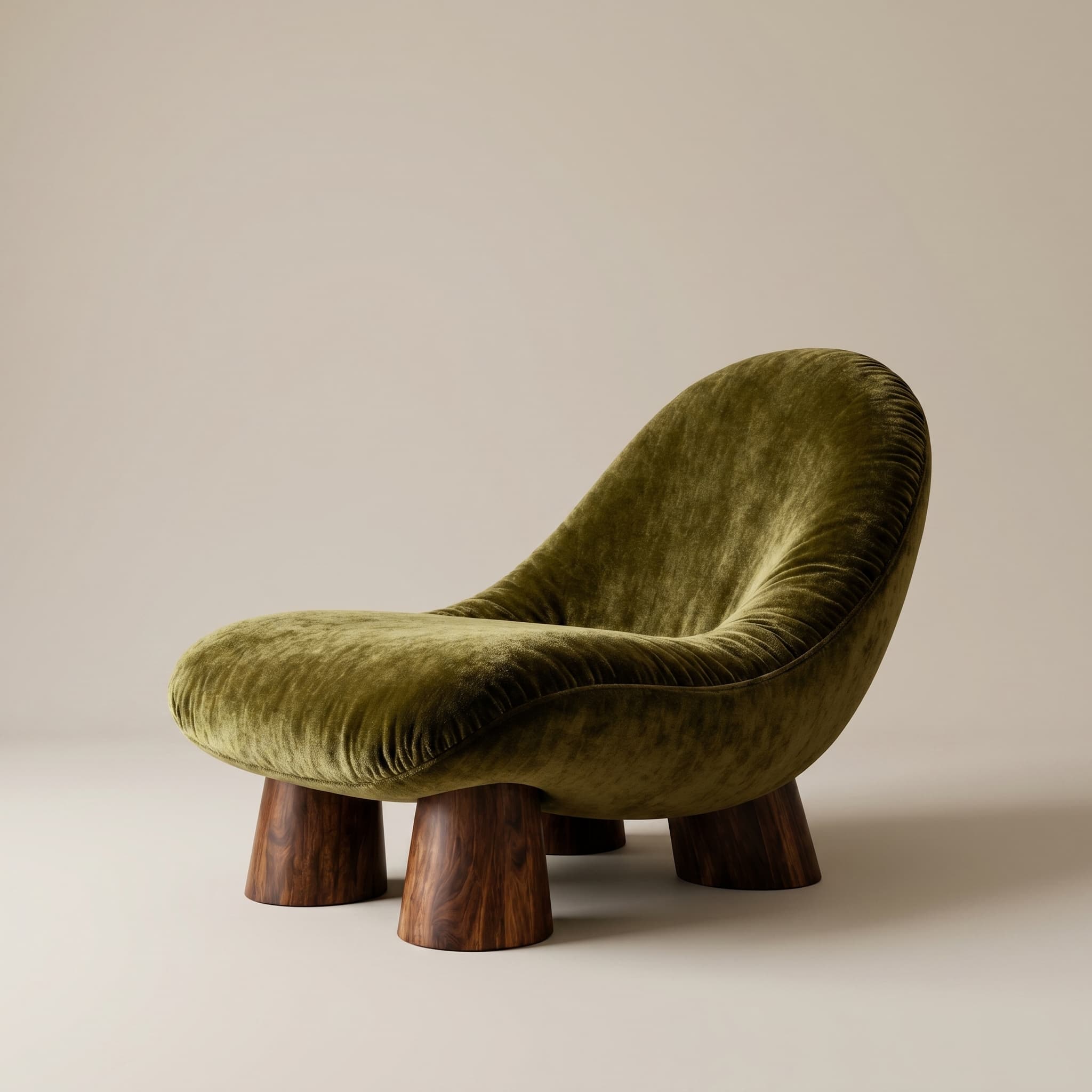
- The brief
- Use the existing chair clip to see how motion changes a still product presentation.
- What to compare
- Play the clip and compare the chair's silhouette, upholstery and base with the still reference.
- Before sign-off
- Review the whole clip for changes to product geometry before using it in a presentation.
Render to clip in one step
Start from an image you already generated and produce a short animated walkthrough without rebuilding anything in 3D.
Presentation-ready output
Use the clip in a pitch deck, a listing page, or an Instagram reel, formats that win attention beyond a static board.
No motion toolchain
Skip the camera-rig and keyframe workflow. Describe the movement and let the engine handle the animation.
Frequently asked questions
- Do I need video editing skills?
- No. Motion Mode animates an existing render automatically, you describe the movement, not keyframes.
- How long are the clips?
- Short, presentation-friendly clips suited to decks, listings, and social. Length depends on your plan's video allowance.
- Can I use the clips commercially?
- Paid plans include commercial usage suitable for client presentations and marketing. Check your plan tier for limits.
Explore more
Try motion mode on your next project
30 trial credits, no credit card required. Test Full HD renders, 4K upgrades and animations.