
Renderz

For Interior Designers

Show the finished room before the first sample arrives

Mood boards explain taste; they rarely sell spatial balance or product scale. Renderz lets you drop real catalog pieces into a room photo or plan view and iterate finishes without rebuilding a 3D scene. Walk into the client meeting with photoreal options — not a Pinterest grid they have to imagine in their head.

Your catalog, correctly scaled

Pull chairs, tables, and rugs from your library into the scene. Products land at believable proportions relative to the room — not floating stock-photo furniture.

Oak vs walnut in one click

Keep the layout locked and swap wood tones, stone slabs, or textile palettes. Side-by-side decisions happen live instead of over email threads.

Edit details without starting over

Remove clutter, add a pendant, or shift a sofa — describe the change and keep the rest of the composition intact.

See the difference

Same workflow as the main demo — your input, a photoreal output.
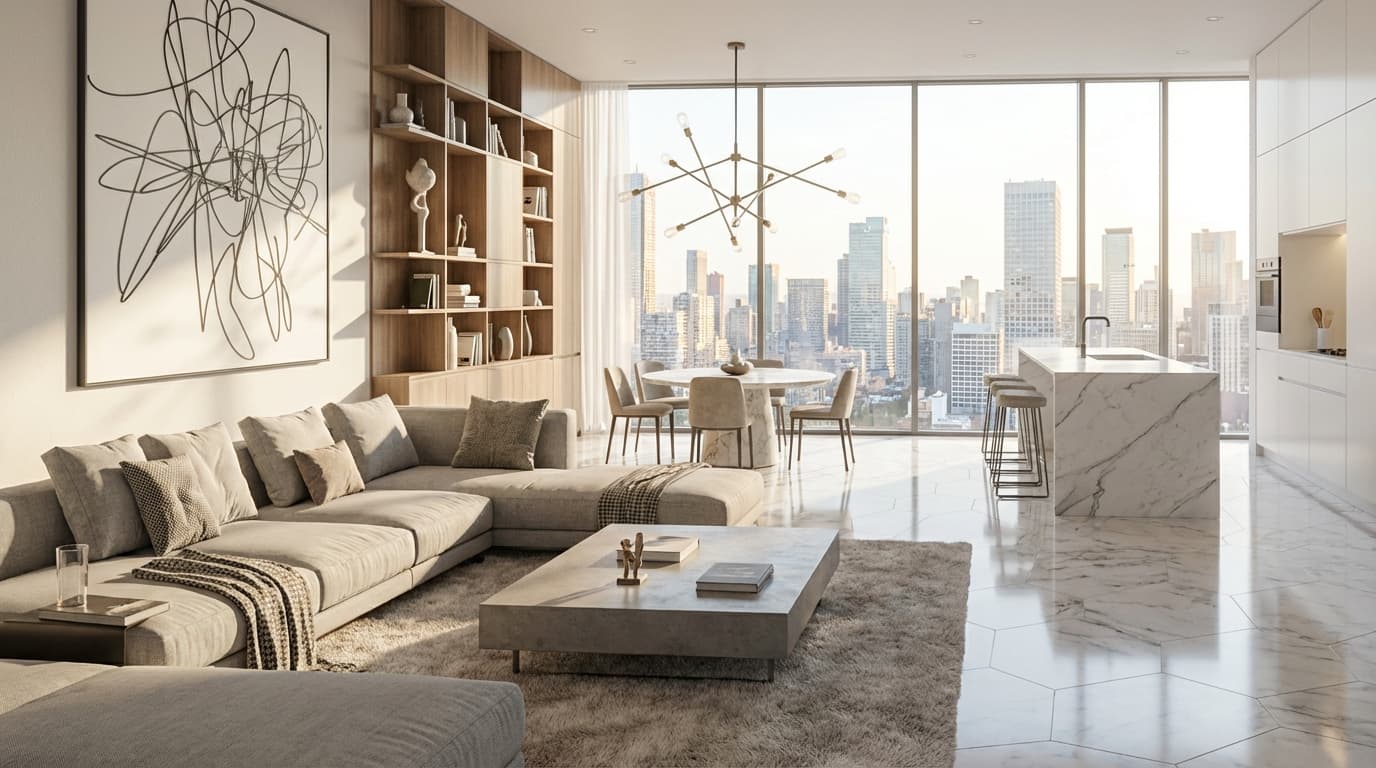
Photoreal render example
  • Empty room photo → fully furnished scheme with specified products
  • Same layout → Scandinavian palette vs dark walnut mood
  • Initial render → refined version with swapped rug and lighting

Frequently asked questions

Can I use my own product images?
Yes. Upload catalog items to your library and place them in renders so clients see the exact SKUs you intend to specify.
How is this different from generic AI room generators?
Generic tools invent new rooms. Renderz anchors to your uploaded view and applies controlled edits — critical when you're specifying real products.
Is it fast enough for live client sessions?
Most iterations return in under a minute, which makes same-meeting revisions practical on a laptop.

7-day trial — built for interior designers

~5 watermarked renders, no card required. Upload a plan or photo and see results in minutes.