
Capacité pro
Chaque option de matériau, même vue, en secondes
Les clients décident plus vite quand ils comparent à conditions égales. Les Variantes de matériaux gardent layout et caméra fixes tout en changeant finitions, palettes et ambiances: chêne ou noyer, chaud ou froid, été ou hiver. Générez un set depuis un seul prompt pour garder la cohérence visuelle entre les espaces.
Un exemple concret
Une cuisine, trois pistes de matériaux
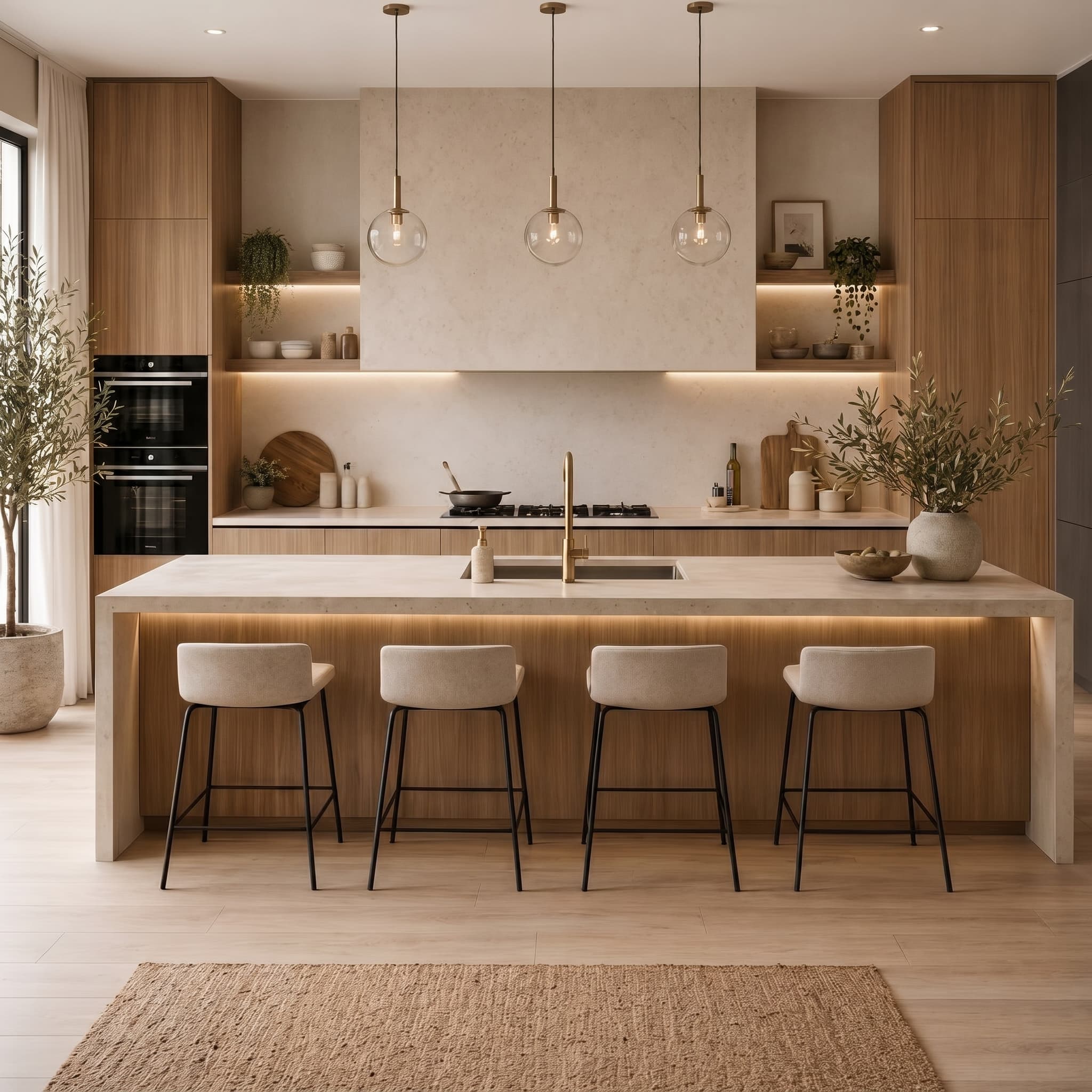
Chêne chaleureux
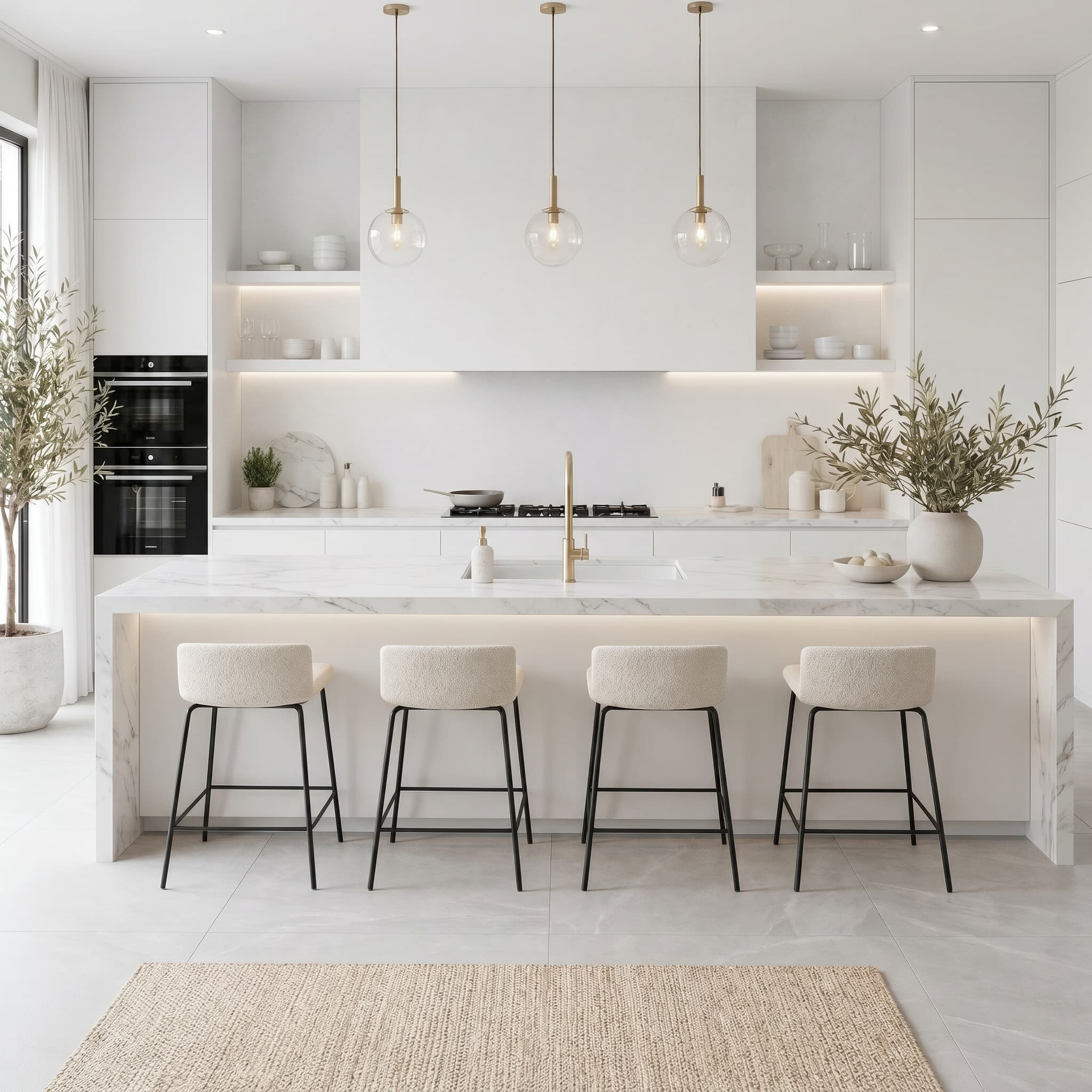
Clair et neutre
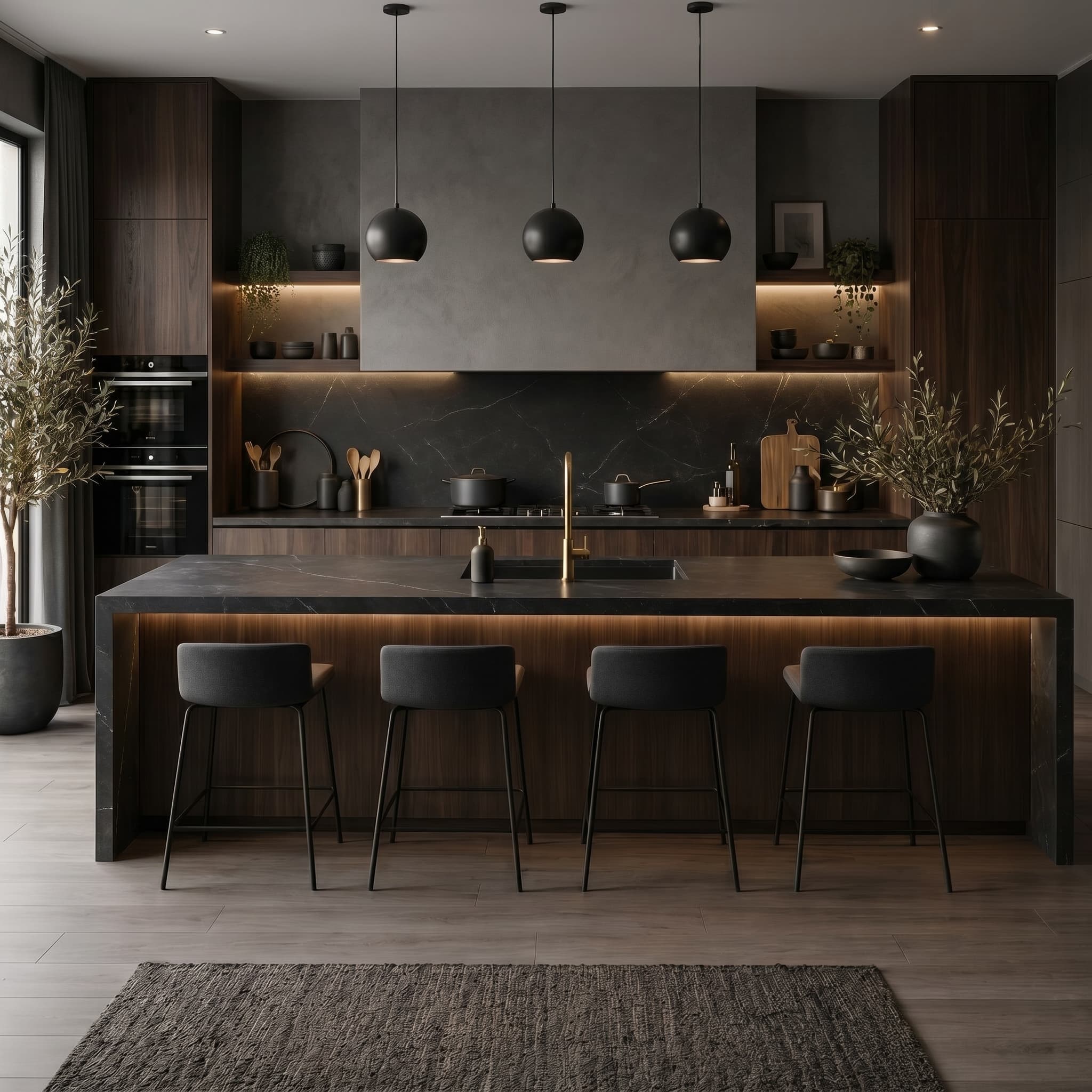
Contraste sombre
Caméra fixe, finition différente
Le point de vue ne bouge pas, les comparaisons côte à côte sont honnêtes et le client décide sur place.
Plusieurs options depuis un prompt
Produisez plusieurs palettes ou pièces en une passe et gardez la cohérence du projet sans redécrire chaque scène.
Moins de réunions de suivi
Présentez toute la gamme d’un coup au lieu d’envoyer une image par e-mail et d’attendre chaque réaction.
Questions fréquentes
- Les variantes gardent-elles exactement le même layout ?
- Oui. Caméra et géométrie restent fixes; seuls matériaux et ambiance changent entre les options.
- Puis-je coller des produits ou finitions nommées ?
- Uploadez nuanciers ou photos produit et demandez la ligne précise que vous voulez spécifier.
- Combien d’options puis-je générer d’un coup ?
- Le traitement par lots produit plusieurs variantes en une passe; le nombre exact dépend de votre plan.
Découvrir aussi
Testez variantes de matériaux sur votre prochain projet
30 crédits d’essai, sans carte bancaire. Testez les rendus Full HD, la 4K et les animations.