

Profi-Funktion
Bringen Sie jedes Bild auf druckfertige Auflösung
Ein Bild, das am Bildschirm gut aussieht, kann auf einer A1-Tafel weich werden. Upscaling erhöht die Auflösung, schärft Details und säubert Kanten für Wettbewerbtafeln, Großformat und Marketing. Sie müssen die Szene nicht von Grund auf neu rendern.
Ein konkretes Beispiel
Fassadendetails in zwei Auflösungen vergleichen
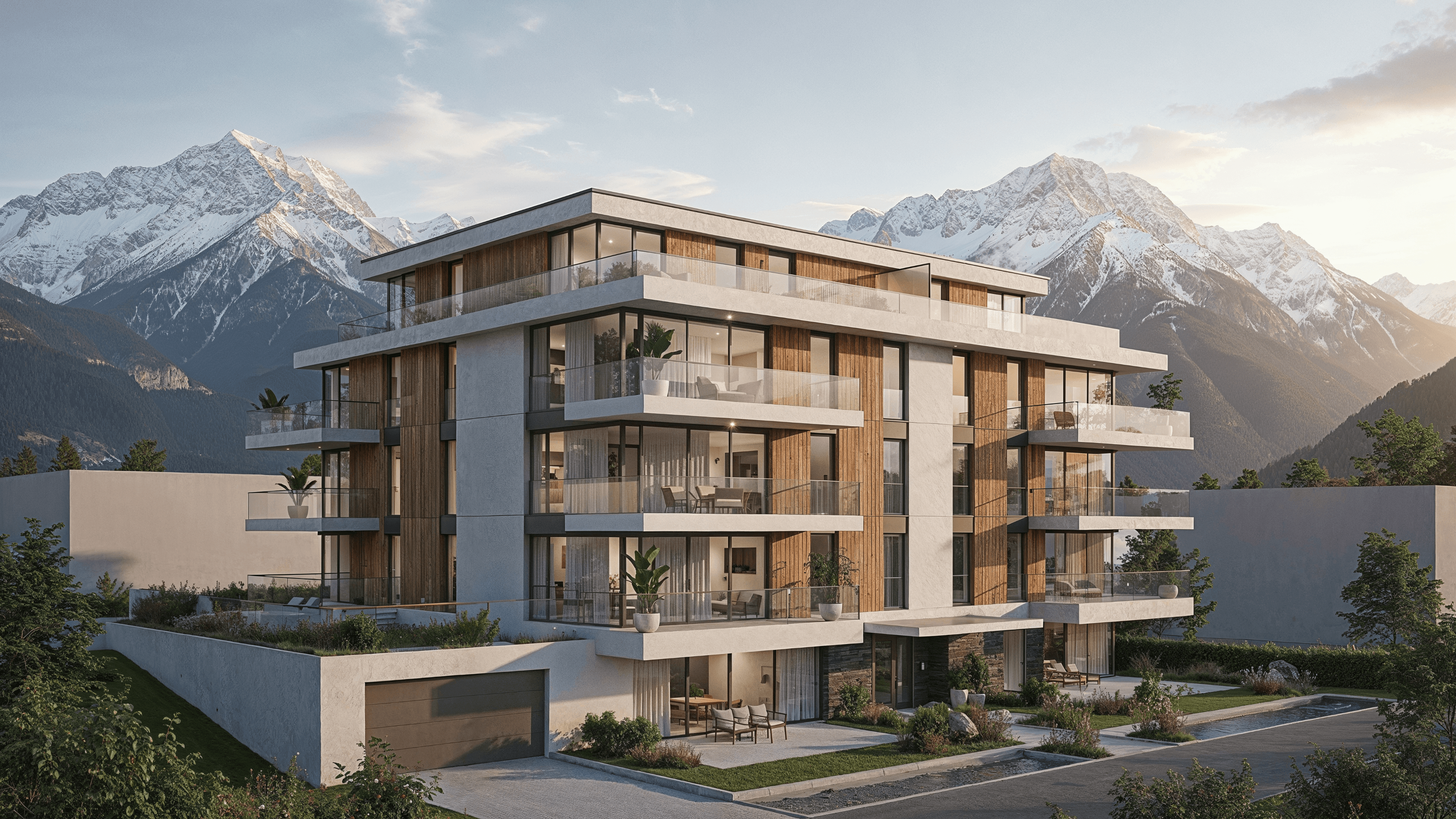
Druckfertiges Detail
Bringen Sie Bilder auf hohe Auflösung, damit Texturen und Kanten im Großformat scharf bleiben.
Ohne Neu-Rendering
Skalieren Sie ein bestehendes Bild hoch, behalten Sie die Komposition und gewinnen Auflösung und Schärfe.
Bereit für Tafeln und Marketing
Liefern Sie Dateien für Wettbewerbtafeln, Broschüren und Banner aus demselben Flow.
Häufig gestellte Fragen
- Ändert Upscaling meine Komposition?
- Nein. Es bewahrt das Bild und erhöht Auflösung und Schärfe für den Großformatdruck.
- Welche Auflösung erreiche ich?
- Eine Auflösung geeignet für Wettbewerbtafeln und große Drucke. Das genaue Limit hängt von Ihrem Plan ab.
- Muss ich das Bild neu rendern, um es hochzuskalieren?
- Nein. Sie skalieren ein bestehendes Bild direkt und sparen Zeit bei gleichbleibendem freigegebenem Look.
Mehr entdecken
4K-Upscaling im nächsten Projekt testen
30 Test-Credits, keine Kreditkarte erforderlich. Testen Sie Full-HD-Renderings, 4K-Upgrades und Animationen.